
Adding tasks quickly – or, your task inbox
Hi Friends!
Using Apollo makes you feel excited about your projects.
Sometimes, when you create tasks for your project, you are not entirely sure which task list they will belong to. Or maybe none of your existing task lists is the right one. Sometimes, all you want to do is jump on a project and quickly type 4 or 5 quick points, maybe while you are on the phone with your customer.
This is why we implemented a very quick way of adding tasks to Apollo:
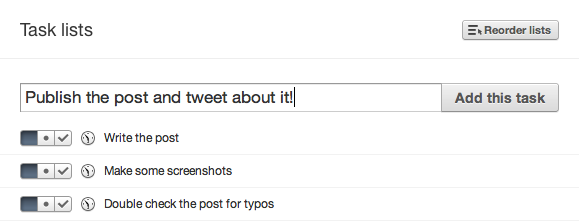
All you have to do is type your tasks and press enter (you can forget about the mouse, and type away): tasks are created in the "project inbox".
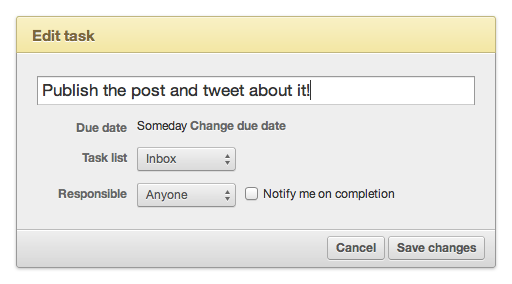
As you can see from the screenshot, tasks created this way are assigned to "Anyone", and don't have a due date. Once you've freed your mind, you – or someone else in your workspace – will be able to sort them out, assign them to the right task list and person, with the correct deadline.
Many thanks to John Ashenden @ Grooveshark for suggesting this idea!
2 comments so far
Impulse Creative
Sat, 01/07/2012 - 07:03
are recurring tasks a feature on the horizon? Monthly reminders to review analytics or to follow up with a client would be useful. Even Tasks to remind us to bother the client would be nice too.
Tony Mobily
Sat, 01/07/2012 - 15:26
Hi,
Recurring tasks are something in our horizons.
But it's something we'll look at sometime this year...!
I passed your feature request on to the devels too!
Merc.